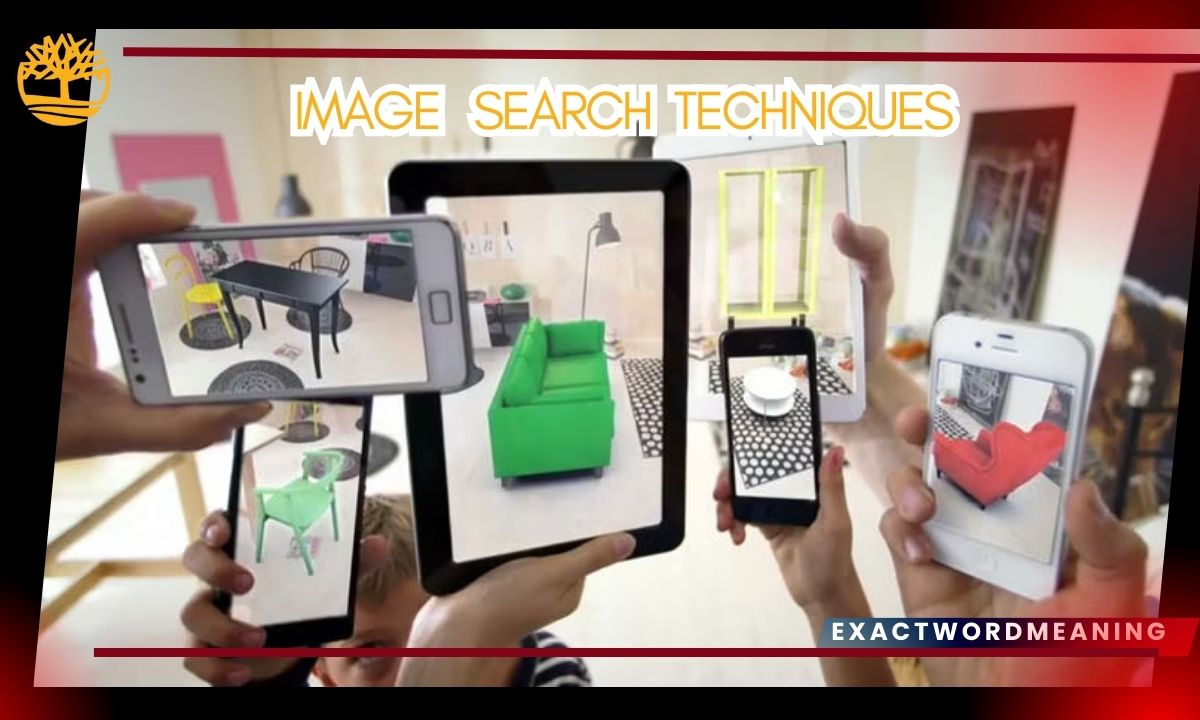
In today’s digital world, images speak louder than words. From online shopping to research, education, and social media, visuals shape how we explore and understand information. But what happens when you want to find the origin of an image, discover similar visuals, or identify an unknown object?
That’s where image search techniques come in. These methods help you search, analyze, and understand images using smart technology instead of relying only on text. In this detailed guide, you will learn how image search works, the different techniques available, the best tools to use, and how to apply them effectively in real life.
What Are Image Search Techniques?
Image search techniques are methods used to find images or information related to an image by analyzing visual data instead of text alone. Unlike traditional keyword searches, these techniques rely on visual features such as colors, shapes, patterns, textures, and objects inside an image.
With modern image search, you can:
- Upload a photo to find similar or identical images
- Identify objects, people, landmarks, and products
- Discover the original source of a picture
- Detect fake or manipulated images
- Track where your photos appear online
These techniques are powered by artificial intelligence, machine learning, and computer vision, making visual searches faster, smarter, and more accurate than ever before.
Why Image Search Matters in the Digital Age
We live in a visual-first world. Every day, billions of images are uploaded, shared, and consumed across social platforms, websites, and apps. As visual content grows, the ability to search and understand images becomes increasingly important.
Here’s why image search techniques matter:
- Better information access: Images can reveal details that words cannot easily describe.
- Faster discovery: Visual search speeds up product finding, research, and learning.
- Content verification: Helps confirm the authenticity of photos and detect misinformation.
- Creative inspiration: Designers and artists use visual searches for ideas and trends.
- Brand protection: Businesses track misuse of logos and copyrighted images.
In simple terms, image search bridges the gap between what we see and what we know.
How Image Search Works: A Simple Explanation
Behind every image search is a combination of advanced technologies working together. When you upload an image or search using visuals, the system analyzes the picture in multiple ways.
Key Technologies Involved
1. Computer Vision
Allows machines to interpret and understand visual information like humans do.
2. Machine Learning
Helps systems learn from millions of images and improve accuracy over time.
3. Artificial Intelligence (AI)
Enables advanced recognition, classification, and prediction of image content.
What Happens During an Image Search?
- The system scans your image and breaks it into visual components.
- It analyzes colors, edges, shapes, patterns, textures, and objects.
- These features are converted into mathematical data.
- The data is compared against billions of indexed images.
- The system returns the most relevant matches and related information.
This entire process happens in seconds, delivering highly accurate results.
Main Types of Image Search Techniques
Different tasks require different image search approaches. Understanding these techniques helps you choose the right method for your needs.
1. Keyword-Based Image Search
This is the most familiar type of image search. You enter descriptive text, and the system returns images related to those keywords.
How it works: Search engines rely on image metadata such as titles, captions, alt text, file names, and surrounding content.
Best for:
- General browsing
- Finding stock images
- Basic research
- Inspiration
Example searches:
- “Sunset over mountains”
- “Minimalist office workspace”
- “Healthy breakfast ideas”
2. Reverse Image Search
Reverse image search allows you to upload an image or paste an image URL to find visually similar or identical images online.
How it works: Instead of analyzing text, the system examines the visual data of the uploaded image and matches it with indexed images.
Best for:
- Finding original image sources
- Checking image authenticity
- Tracking plagiarism
- Detecting fake profiles
Common use cases:
- Verifying viral images
- Finding higher resolution versions
- Identifying unknown objects or people
3. Visual Similarity Search
This technique focuses on finding images that look similar, even if they are not exact matches.
How it works: The system compares visual patterns, colors, shapes, and layouts rather than exact pixel matches.
Best for:
- Fashion discovery
- Home décor ideas
- Product comparisons
- Creative inspiration
Example: Upload a picture of a chair and find similar designs across multiple online stores.
4. Color and Pattern-Based Search
This technique allows users to filter or search images based on specific colors, tones, or patterns.
How it works: Images are categorized based on color distribution and design patterns.
Best for:
- Designers
- Marketers
- Brand managers
- Content creators
Example:
Finding images with pastel tones or black-and-gold color schemes.
5. Object Recognition Search
This method identifies objects within images such as cars, animals, furniture, food, electronics, and more.
How it works: AI models detect and label objects based on trained datasets.
Best for:
- Product identification
- Educational research
- Visual learning
- E-commerce
6. Facial Recognition Search
This advanced technique identifies human faces and matches them across databases.
How it works: Unique facial features are analyzed and compared with existing profiles.
Best for:
- Identity verification
- Law enforcement
- Media analysis
- Social media monitoring
When to Use Each Image Search Technique
Knowing when to apply a specific technique improves your results and saves time.
| Goal | Best Technique |
| Find general images | Keyword-based search |
| Trace image origin | Reverse image search |
| Discover similar designs | Visual similarity search |
| Maintain brand colors | Color-based search |
| Identify products | Object recognition |
| Verify people | Facial recognition |
Combining multiple techniques often leads to better outcomes.
Top Tools for Image Search Techniques
Modern image search tools combine artificial intelligence, massive data indexing, and smart recognition algorithms to deliver fast and accurate results. Each platform offers unique strengths, so understanding what each tool does best helps you choose the right one for your needs.
Google Images
Google Images is the most widely used image search engine in the world. It supports both keyword-based searches and reverse image search, making it suitable for casual users, professionals, students, and researchers alike. Its massive database and constant algorithm improvements ensure reliable and up-to-date results.
Key Features
- Extremely large image index covering billions of web pages
- Fast and highly accurate search results
- Advanced AI-based recognition
- Usage rights and licensing filters
- Integration with Google Lens
Best For: General image searching, source verification, research, education, and everyday browsing.
Google Lens
Google Lens adds contextual understanding to image searches. Instead of simply matching visual patterns, it interprets what is happening inside an image. This allows it to recognize objects, translate text, identify plants, detect landmarks, and suggest shopping links.
Key Features
- Object recognition
- Real-time translation of text in images
- Visual product discovery
- Landmark and location identification
- Integrated into mobile devices and browsers
Best For: Instant object identification, real-world searches, education, travel discovery, and shopping.
TinEye
TinEye is a specialized reverse image search engine focused on tracking image usage and detecting duplicates. Unlike general-purpose search engines, TinEye prioritizes finding where an image first appeared and how it has changed over time.
Key Features
- Deep image tracking
- Duplicate detection
- Historical image indexing
- Sorting by oldest and newest matches
Best For: Copyright monitoring, plagiarism detection, brand protection, and source tracking.
Bing Visual Search
Bing Visual Search combines traditional search capabilities with advanced visual recognition. It is particularly strong in e-commerce applications, offering interactive search features that allow users to select specific parts of an image.
Key Features
- Visual product recognition
- Smart object cropping
- Shopping integration
- Visual comparison tools
Best For: Online shopping, product discovery, and commercial research.
Yandex Images
Yandex provides highly advanced facial recognition and landscape detection capabilities. It often finds matches that other search engines miss, making it a powerful alternative for deep image analysis.
Key Features
- Advanced facial recognition
- Strong landmark identification
- High accuracy with edited images
Best For: Face searching, location verification, investigative research, and forensic analysis.
Pinterest Lens
Pinterest Lens is tailored for creative inspiration. Instead of focusing on strict matching, it helps users discover visually similar ideas, designs, and styles.
Key Features
- Style-based image matching
- Trend-driven recommendations
- Creative content discovery
Best For: Interior design, fashion, lifestyle inspiration, and DIY projects.
Practical Applications of Image Search Techniques
Image search is no longer just a convenience tool. It plays a major role across industries, helping professionals improve accuracy, efficiency, and creativity.
Journalism and Media Verification
Journalists rely on reverse image search to verify the authenticity of images before publishing stories. This practice helps confirm image origins, detect manipulated photos, and prevent the spread of misinformation.
E-Commerce and Online Shopping
Visual search tools allow shoppers to upload product images and instantly locate matching or similar items. This improves the shopping experience, increases customer satisfaction, and drives higher sales conversions.
Education and Academic Research
Students and educators use image search techniques for:
- Visual learning support
- Academic image verification
- Historical documentation
- Scientific research references
Marketing and Branding
Businesses track logo usage, monitor brand visibility, and protect copyrighted visuals. Image search enables brands to identify unauthorized usage and measure campaign reach across digital platforms.
Law Enforcement and Security
Facial recognition and object detection help authorities:
- Identify suspects
- Track missing persons
- Detect stolen property
- Analyze surveillance footage
Social Media Monitoring
Influencers and content creators monitor reposts, detect unauthorized reuse, and analyze brand collaborations to maintain content integrity and audience trust.
Best Practices for Effective Image Searching
Following best practices improves accuracy and saves time while delivering more relevant results.
Use High-Quality Images
High-resolution images produce better matches than blurry or pixelated photos. Clear visuals allow algorithms to identify details accurately.
Crop for Precision
Removing background distractions and focusing on the main subject increases matching accuracy and improves search relevance.
Combine Visual and Text Search
When visual results are limited, adding descriptive keywords can refine results and improve search depth.
Try Multiple Tools
Each platform indexes images differently. Using multiple search engines increases coverage and accuracy.
Apply Advanced Filters
Sorting by size, color, usage rights, date, or type helps narrow down results quickly.
Respect Copyright Laws
Always verify licensing permissions before downloading or repurposing images to avoid legal complications.
Common Mistakes to Avoid
Avoiding common pitfalls improves both search accuracy and ethical use.
- Using low-quality or heavily edited images
- Ignoring visually similar matches
- Relying on a single search engine
- Skipping copyright verification
- Overloading keyword searches
Being mindful of these mistakes leads to more effective and responsible image searching.
Advanced Image Search Techniques
As AI continues to evolve, advanced methods are redefining how visual searches operate.
Content-Based Image Retrieval (CBIR)
CBIR analyzes visual features like texture, color distribution, and object placement rather than relying on textual metadata. This technique enables highly accurate similarity matching.
AI-Powered Semantic Search
Semantic search understands the context and meaning behind images, improving relevance and intent-based results.
Multimodal Search
This method combines images, text, and voice inputs to deliver more precise and context-rich results.
Real-Time Visual Recognition
Used in augmented reality and smart devices, this technique identifies objects instantly and overlays useful information in real time.
Image Search for SEO and Digital Marketing
Image search optimization plays a growing role in search engine visibility and online branding.
Why Image SEO Matters
Optimized images help:
- Improve website rankings
- Increase organic traffic
- Enhance user experience
- Boost engagement and conversions
Best Practices for Image SEO
- Use descriptive file names
- Write meaningful alt text
- Compress images for faster loading
- Implement structured data
- Optimize dimensions and formats
Effective image SEO ensures higher discoverability and better site performance.
Ethical and Privacy Considerations
With advanced image recognition comes increased responsibility.
Privacy Concerns
Facial recognition can raise serious privacy issues, while image misuse may lead to identity theft, harassment, or exploitation.
Ethical Use Guidelines
- Respect individual consent
- Avoid invasive searches
- Follow data protection regulations
- Use image tools responsibly
Ethical image searching promotes trust, safety, and accountability online.
The Future of Image Search Techniques
Image search is rapidly advancing through AI innovation and computational improvements.
What Lies Ahead
- Emotion recognition
- Context-aware searching
- Augmented reality integration
- Smart wearable search devices
- Predictive visual recommendations
In the near future, users will simply point their cameras at objects to instantly receive product details, historical data, health information, or buying options.
Frequently Asked Questions
What is reverse image search?
Reverse image search allows users to upload an image to find visually similar or identical images online.
Is image search free?
Most tools like Google Images, Bing, and TinEye offer free image search options.
Can I search by screenshot?
Yes, screenshots work well for reverse image searching.
Which tool is best for face search?
Yandex and Lenso.ai offer strong facial recognition features.
Is image search safe?
Yes, as long as you use trusted platforms and respect privacy laws.
Final Thoughts
Image search techniques have transformed how we interact with the digital world. From verifying authenticity and tracking plagiarism to discovering products and inspiring creativity, these tools empower users across industries.
Whether you are a student, marketer, journalist, designer, or casual user, mastering image search techniques gives you a serious edge. By understanding how they work, when to use them, and which tools deliver the best results, you unlock the full power of visual discovery.
In a world driven by images, knowing how to search them smartly is no longer optional. It’s essential.

Muhammad Shoaib is a seasoned content creator with 10 years of experience specializing in Meaning and Caption blogs. He is the driving force behind ExactWordMeaning.com, where he shares insightful, clear, and engaging explanations of words, phrases, and captions.